partySPKR
Wireless XL Party Speaker with LED Lights
Quick Start Guide
1. What's in the Box
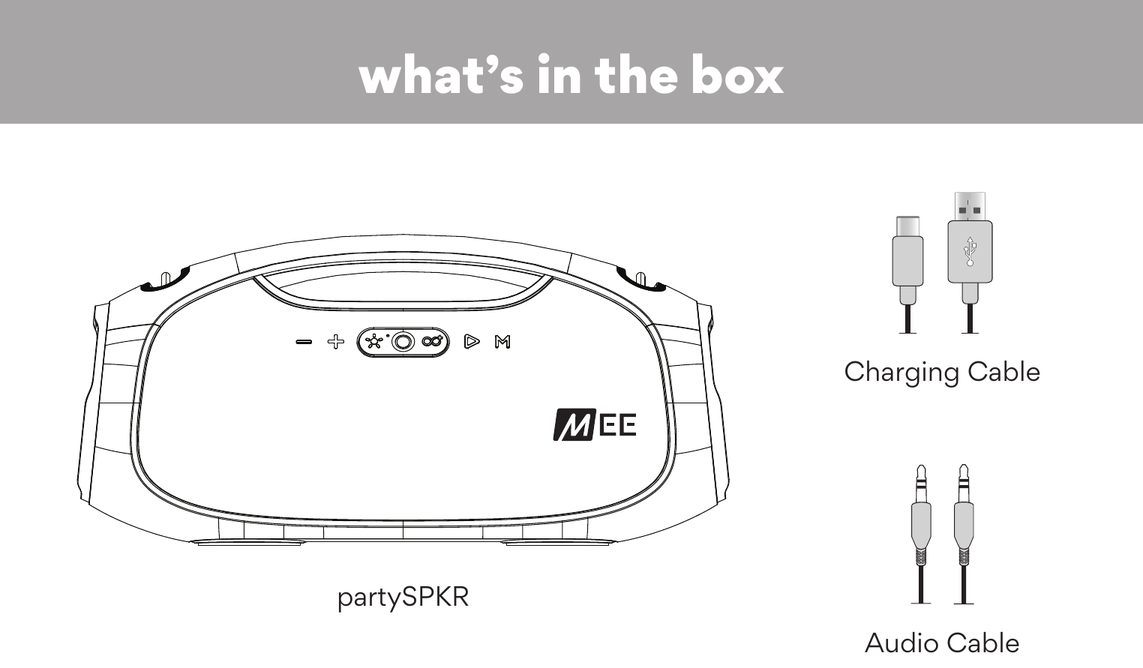
- partySPKR
- Charging Cable
- Audio Cable
2. Interface
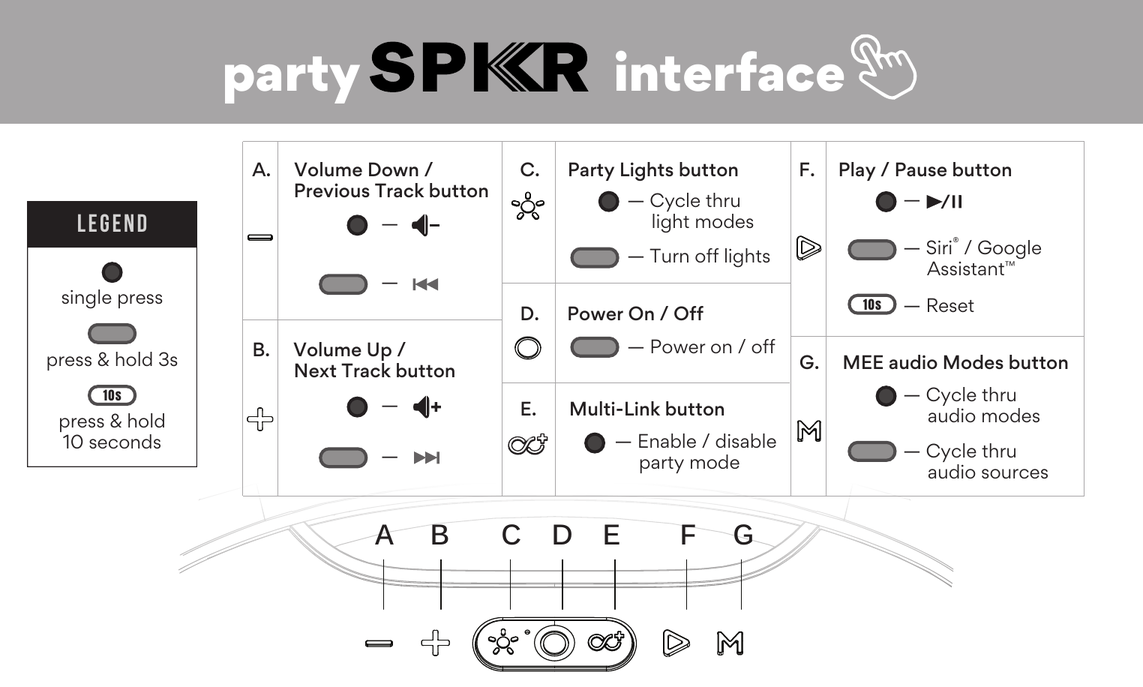
| Button | Action | Function |
|---|---|---|
| A — Volume Down / Previous Track | Single press | Volume down |
| Press & hold 3s | Previous track | |
| B — Volume Up / Next Track | Single press | Volume up |
| Press & hold 3s | Next track | |
| C — Party Lights | Single press | Turn on / cycle through light modes |
| Press & hold 3s | Turn off lights | |
| D — Power On / Off | Press & hold 3s | Power on / off |
| E — Multi-Link | Single press | Enable / disable party mode |
| F — Play / Pause | Single press | Play / Pause |
| Press & hold 3s | Activate Siri® / Google Assistant™ | |
| Press & hold 10s | Reset | |
| G — MEE audio Modes | Single press | Cycle through audio modes |
| Press & hold 3s | Cycle through audio sources |
3. Charging
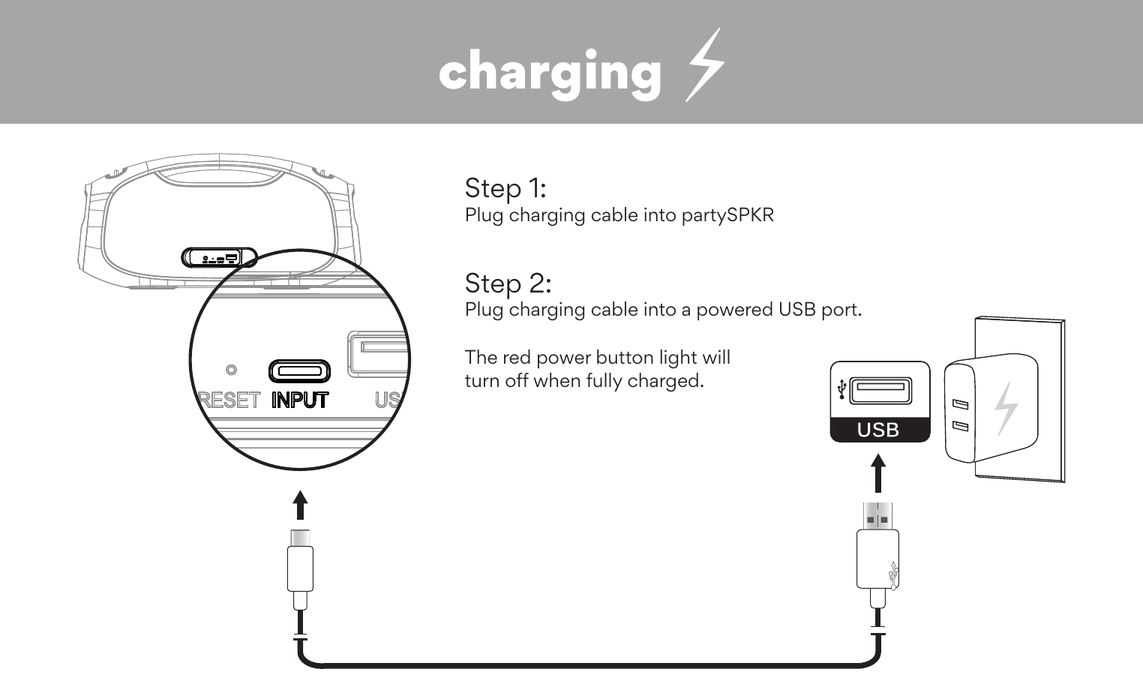
- Plug the charging cable into the partySPKR.
- Plug the charging cable into a powered USB port.
The red power button light will turn off when fully charged.
↑ Back to top4. Bluetooth Pairing
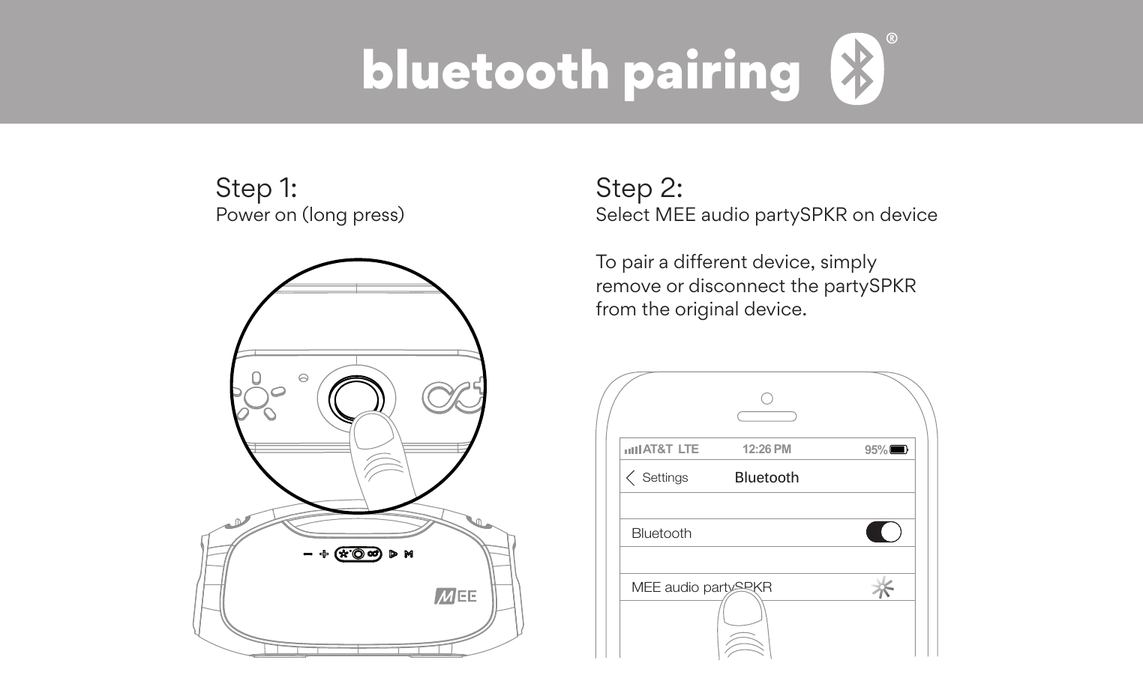
- Power on the partySPKR (long press the Power button).
- On your device, open Bluetooth settings and select MEE audio partySPKR.
To pair a different device, simply remove or disconnect the partySPKR from the original device.
↑ Back to top5. Party Mode
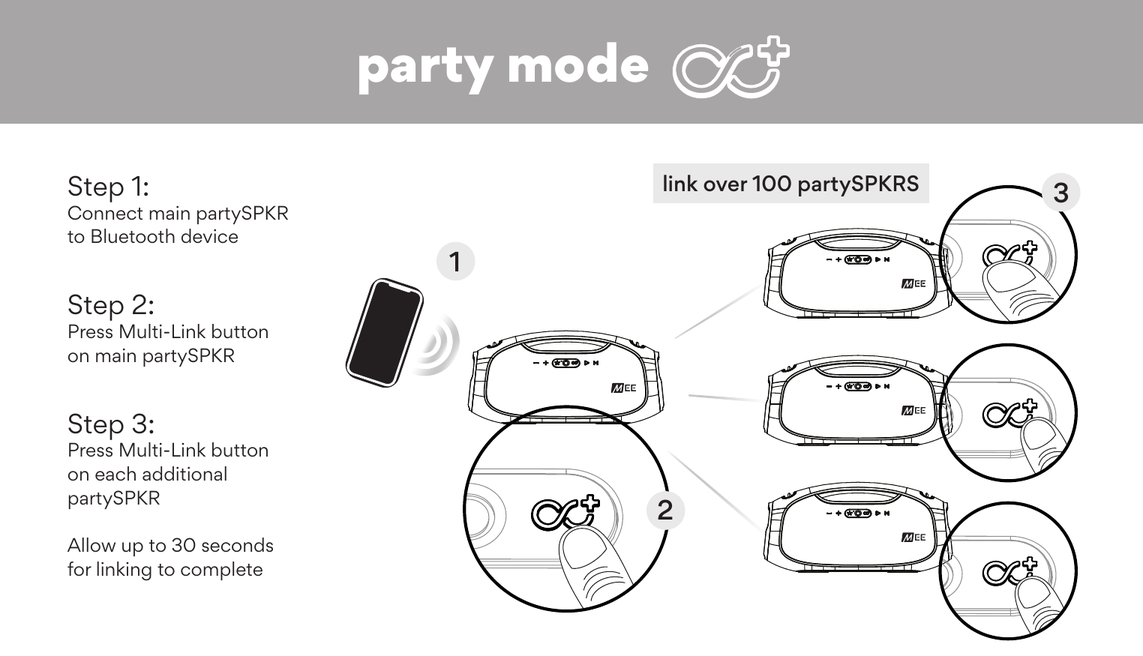
Link over 100 partySPKRs together for a synchronized party experience.
- Connect the main partySPKR to your Bluetooth device.
- Press the Multi-Link button on the main partySPKR.
- Press the Multi-Link button on each additional partySPKR.
Allow up to 30 seconds for linking to complete.
↑ Back to top6. Light and Audio Modes
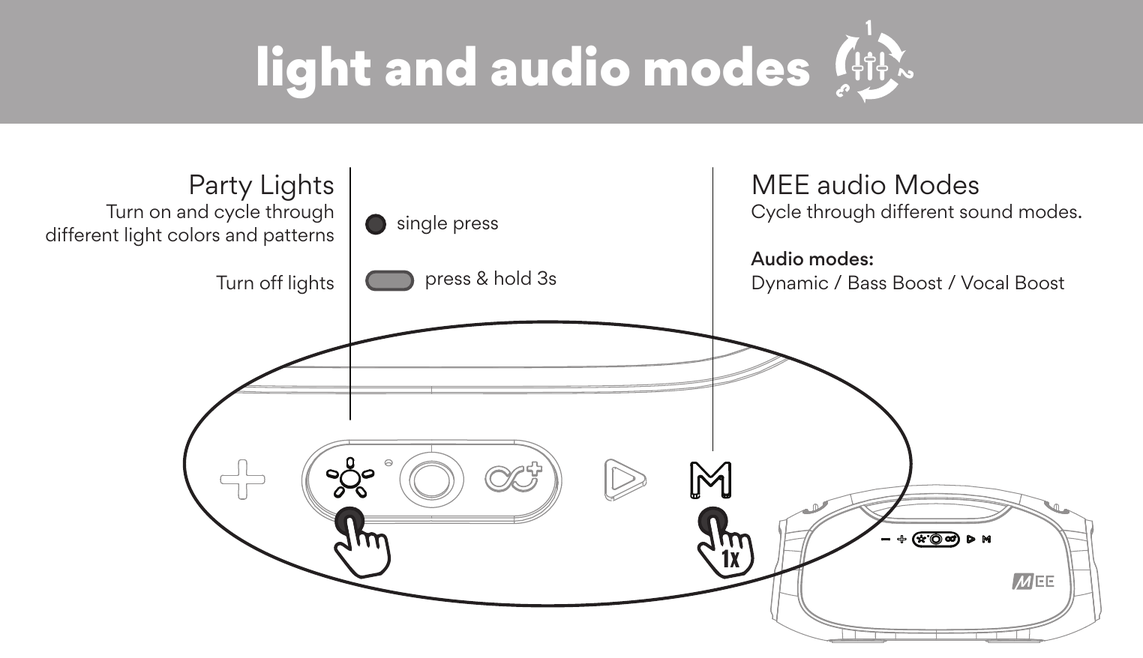
Party Lights (Button C)
- Single press — Turn on and cycle through different light colors and patterns.
- Press & hold 3s — Turn off lights.
MEE audio Modes (Button G)
Single press to cycle through different sound modes:
- Dynamic — Default balanced audio mode.
- Bass Boost — Enhanced bass response.
- Vocal Boost — Boosted speech and vocal clarity.
7. Audio Sources
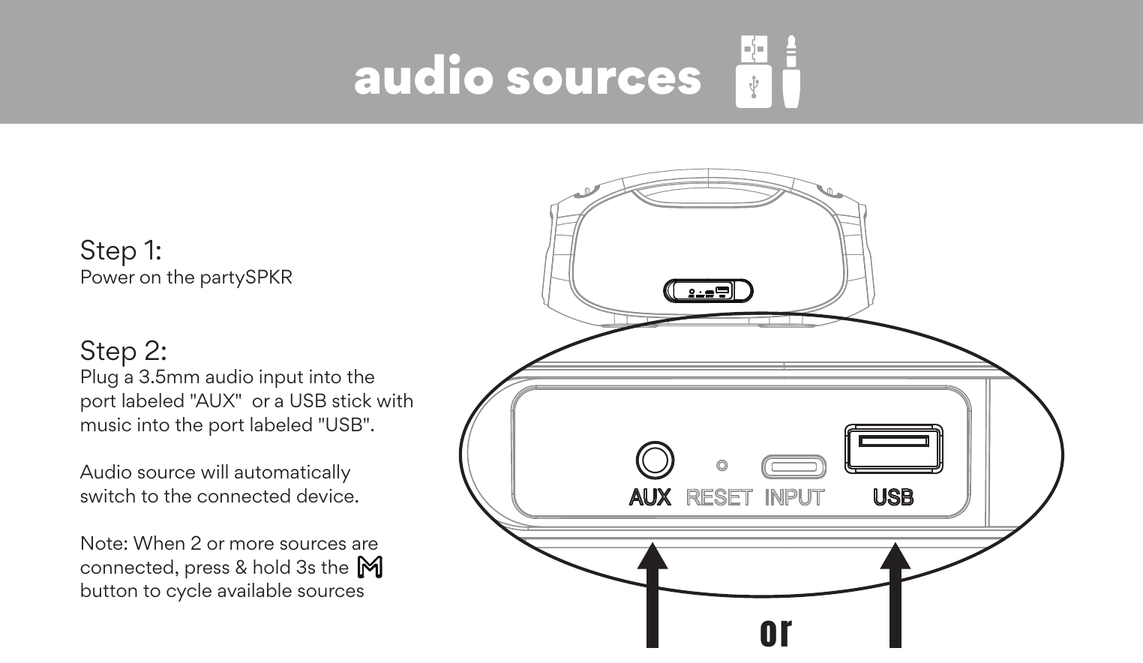
- Power on the partySPKR.
- Plug a 3.5mm audio cable into the port labelled AUX, or a USB stick with music into the port labelled USB. The audio source will automatically switch to the connected device.
Note: When 2 or more sources are connected, press & hold the MEE audio Modes button (Button G) for 3 seconds to cycle through available sources.
8. Power Bank
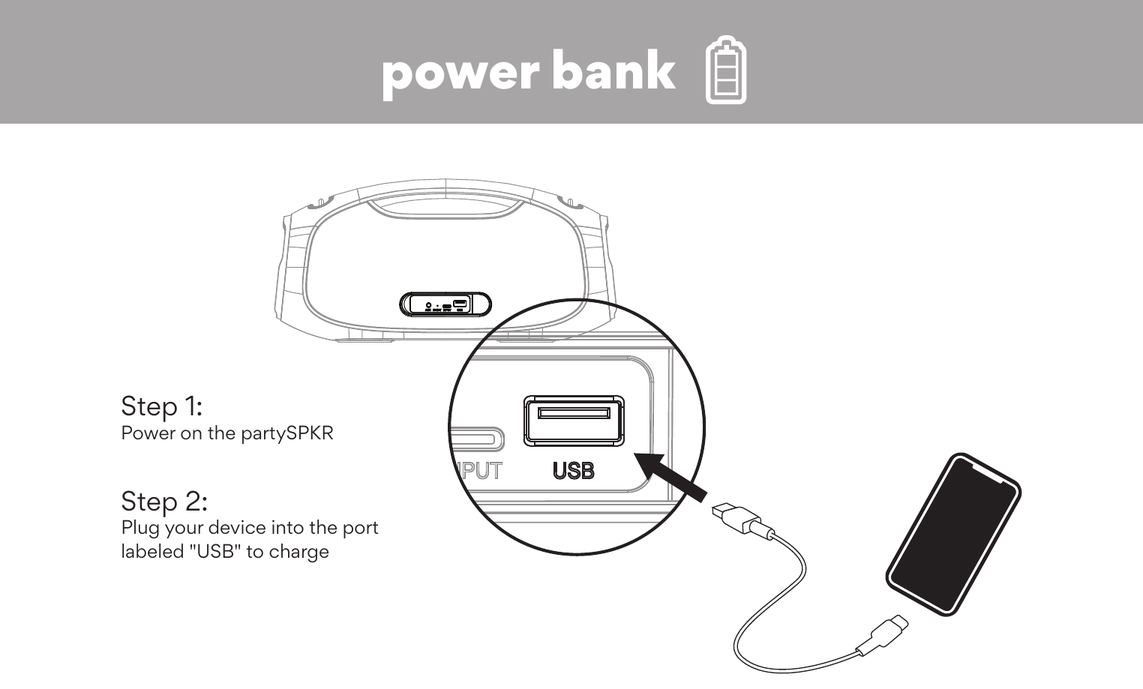
Use the partySPKR to charge other devices:
- Power on the partySPKR.
- Plug your device into the port labelled USB to charge.
9. Warnings
Warning: Flashing lights may not be suitable for people with photosensitive epilepsy.
- Using speakers at high volumes for extended periods of time will result in permanent hearing damage. Keep volume levels moderate to low at all times for your safety.
- The lifetime of the battery will be significantly reduced if your speaker is not charged for a long time. It is recommended to charge your speaker at least once a month.
- Keep the device and packaging out of the reach of children.
- Do not place this product on unstable surfaces that may result in injury if dropped or tipped over.
- Do not expose this product to rain or other moisture for an extended period of time.
- Do not use chemical cleaning sprays to clean this product. Only use a water-dampened cloth.
- This device is designed and manufactured to operate within its defined design limits. Misuse may result in electric shock or fire. Read and follow these instructions carefully.
- If submersed in water, do not turn the device on until completely dried. Note: liquid submersion voids the warranty.
- Danger of explosion or fire if batteries are damaged. Keep away from salt water, naked flames, flammable gases, or heat sources such as radiators or stoves.
- Battery performance will be severely decreased when stored in extreme temperatures: below −10°C/14°F or above 45°C/113°F including direct sunlight.
- Do not use around flammable gases as fire or explosion may occur.
- There are no user-replaceable or repairable parts in the device. Disassembling it will void your warranty.
- Only use attachments and accessories specified by the manufacturer.
- Changes or modifications to this unit not expressly approved by MEE audio could void the user's authority to operate the equipment.
10. Warranty
This product is covered by a 1-year manufacturer warranty. For more information, visit MEEaudio.com/support.
Support
Questions? We're here to help!
Phone Support: 626-965-1008
Monday – Friday, 9:00 am to 5:00 pm PST
Email Support: support@MEEaudio.com
All emails are responded to within 2 business days.
For additional support, view our video setup guide: MEEaudio.com/partySPKRsupport