KidJamz KJ45BT
Wireless Safe Listening Headphones for Kids
Quickstart Guide
1. Your KidJamz
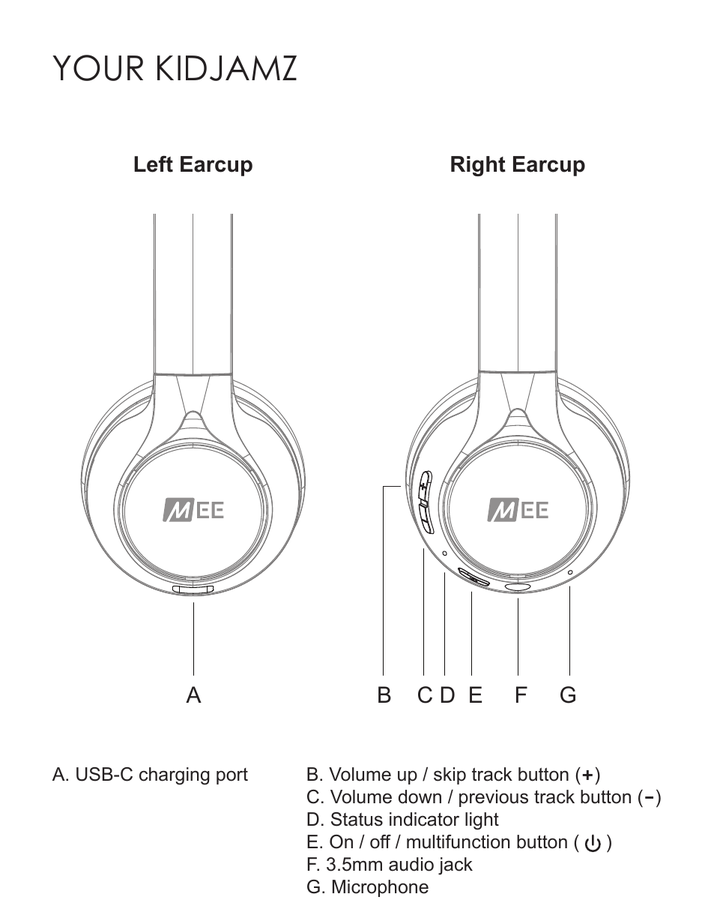
| Label | Component | Location |
|---|---|---|
| A | USB-C charging port | Left earcup |
| B | Volume up / skip track button (+) | Right earcup |
| C | Volume down / previous track button (−) | Right earcup |
| D | Status indicator light | Right earcup |
| E | On / off / multifunction button (⏻) | Right earcup |
| F | 3.5mm audio jack | Right earcup |
| G | Microphone | Right earcup |
2. Getting Started
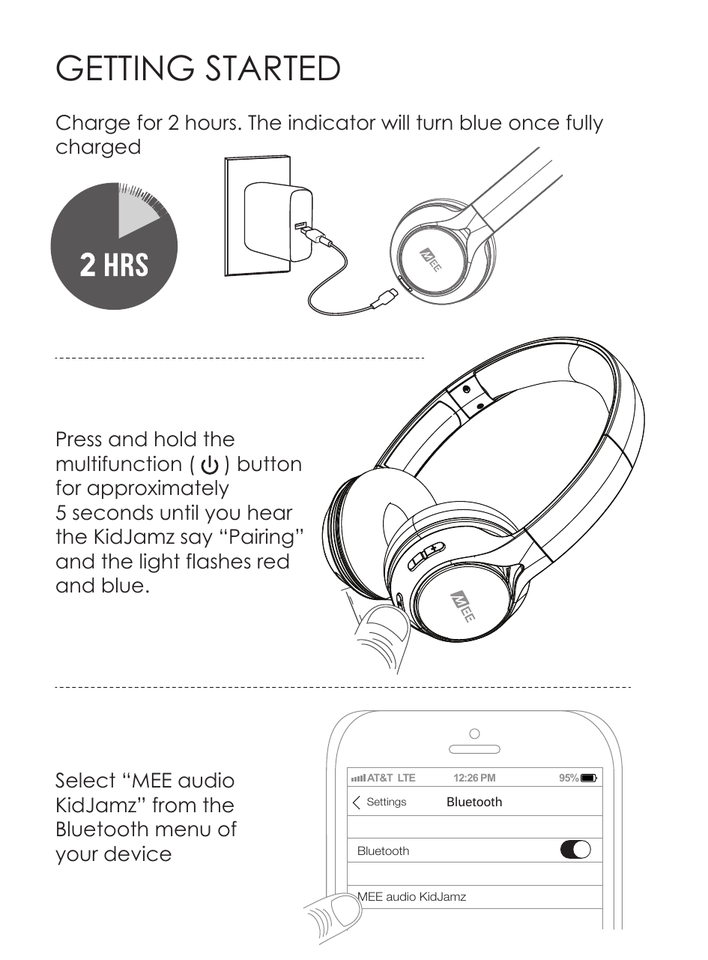
- Charge for 2 hours. The indicator light will turn blue once fully charged.
- Press and hold the multifunction (⏻) button for approximately 5 seconds until you hear the KidJamz say "Pairing" and the light flashes red and blue.
- Select MEE audio KidJamz from the Bluetooth menu of your device.
3. Button Controls
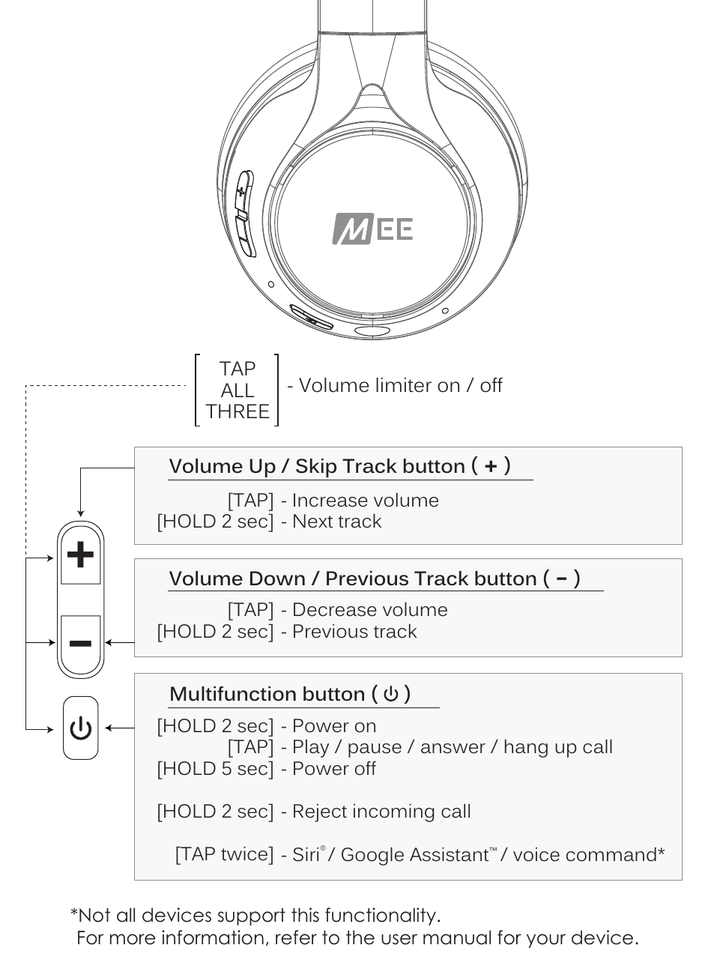
| Button | Action | Function |
|---|---|---|
| Volume Up / Skip Track (+) | Tap | Increase volume |
| Hold 2s | Next track | |
| Volume Down / Previous Track (−) | Tap | Decrease volume |
| Hold 2s | Previous track | |
| Multifunction (⏻) | Hold 2s | Power on |
| Tap | Play / pause / answer / hang up call | |
| Hold 5s | Power off | |
| Hold 2s (during incoming call) | Reject incoming call | |
| Multifunction (⏻) | Tap twice | Activate Siri® / Google Assistant™ / voice command* |
| +, − and ⏻ simultaneously | Tap all three | Volume limiter on / off |
* Not all devices support this functionality. For more information, refer to the user manual for your device.
↑ Back to top4. About Our Volume-Limiting Technology
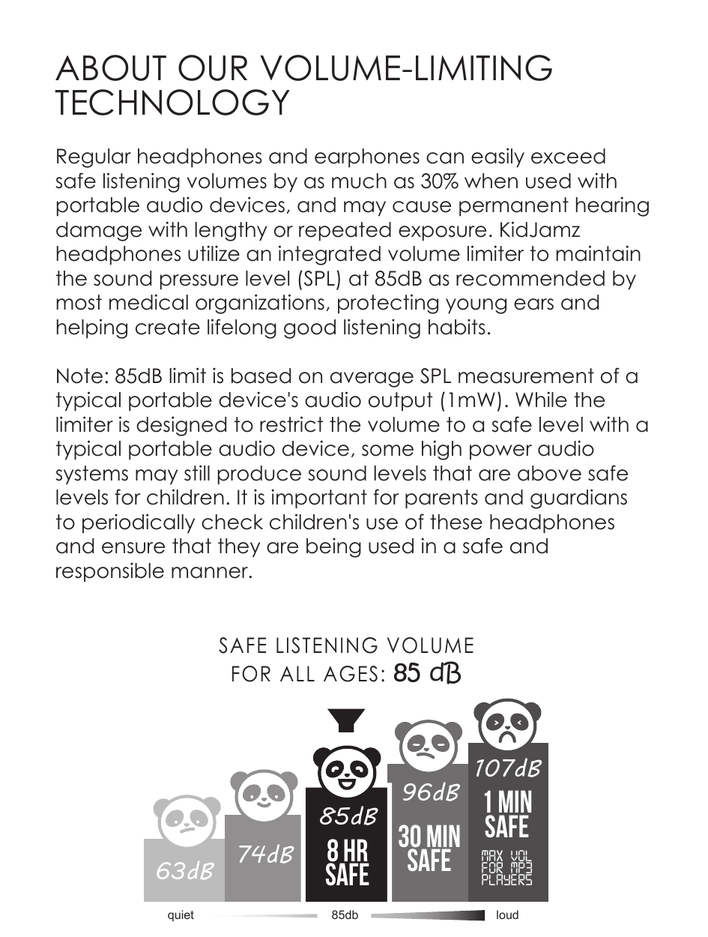
Regular headphones and earphones can easily exceed safe listening volumes by as much as 30% when used with portable audio devices, and may cause permanent hearing damage with lengthy or repeated exposure. KidJamz headphones utilize an integrated volume limiter to maintain the sound pressure level (SPL) at 85dB as recommended by most medical organizations, protecting young ears and helping create lifelong good listening habits.
The chart above illustrates safe listening thresholds at various decibel levels: 63dB and 74dB are quiet listening levels; 85dB is safe for up to 8 hours and is the recommended limit for all ages; 96dB is safe for no more than 30 minutes; and 107dB — the maximum volume common on MP3 players — is safe for only 1 minute.
Note: The 85dB limit is based on average SPL measurement of a typical portable device's audio output (1mW). While the limiter is designed to restrict the volume to a safe level with a typical portable audio device, some high power audio systems may still produce sound levels that are above safe levels for children. It is important for parents and guardians to periodically check children's use of these headphones and ensure that they are being used in a safe and responsible manner.
5. Volume Limiter ON/OFF Controls
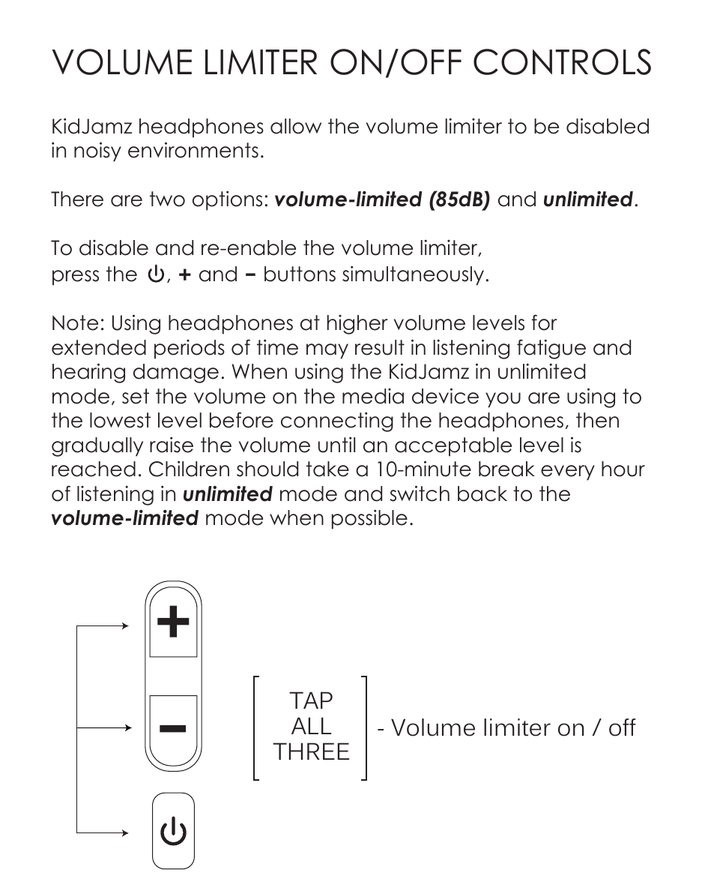
KidJamz headphones allow the volume limiter to be disabled in noisy environments. There are two options: volume-limited (85dB) and unlimited.
To disable and re-enable the volume limiter, press the ⏻, + and − buttons simultaneously.
Note: Using headphones at higher volume levels for extended periods of time may result in listening fatigue and hearing damage. When using the KidJamz in unlimited mode, set the volume on the media device you are using to the lowest level before connecting the headphones, then gradually raise the volume until an acceptable level is reached. Children should take a 10-minute break every hour of listening in unlimited mode and switch back to the volume-limited mode when possible.
6. Troubleshooting
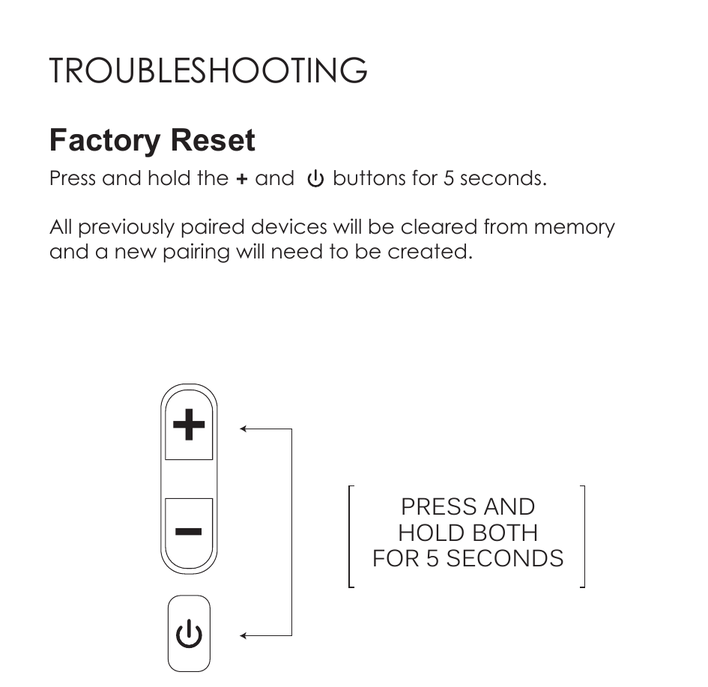
Factory Reset
Press and hold the + and ⏻ buttons simultaneously for 5 seconds.
All previously paired devices will be cleared from memory and a new pairing will need to be created.
↑ Back to top7. Safety & Care
- Clean with a soft cloth, damp with diluted soap water solution if necessary. Do not use chemical cleaners.
- The lifetime of the battery will be significantly reduced if your device is not charged for a long time. It is recommended to charge your device at least once a month.
- Do not expose to liquids. If the device comes in contact with liquids, quickly wipe away. If submerged in water, do not power the device on until completely dried. Note: liquid submersion voids the warranty.
8. Warranty
MEE audio products purchased from authorized resellers are covered by a 1-year manufacturer warranty. For more information, contact your local MEE audio dealer or visit MEEaudio.com/support.
↑ Back to top9. Warnings
Choking hazard: small parts. Not for children under 3 years.
- Keep the packaging out of the reach of children.
- Do not use while driving a car, cycling, operating machinery, or performing other activities that require hearing surrounding sounds.
- This device is designed and manufactured to operate within its defined design limits. Misuse may result in electric shock or fire. Read and follow these instructions carefully.
- If submersed in water, do not turn the device on until completely dried. Note: liquid submersion voids the warranty.
- Danger of explosion or fire if batteries are damaged. Keep away from direct sunlight, naked flames, flammable gases, or heat sources such as radiators or stoves.
- Battery performance will be severely decreased when stored in extreme temperatures: below −10°C/14°F or above 45°C/113°F including direct sunlight.
- Do not use around flammable gases as fire or explosion may occur.
- There are no user-replaceable or repairable parts in the device. Disassembling it will void your warranty.
- Only use attachments and accessories specified by the manufacturer.
- Changes or modifications to this unit not expressly approved by MEE audio could void the user's authority to operate the equipment.
10. Support
Questions? We're here to help!
Phone Support: 626-965-1008
Monday – Friday, 9:00 am to 5:00 pm PST
Email Support: support@MEEaudio.com
All emails are responded to within 2 business days.