KidJamz HP-KJ55U
Type C Safe Listening Headphones for Kids
Quickstart Guide
1. About Our Volume-Limiting Technology
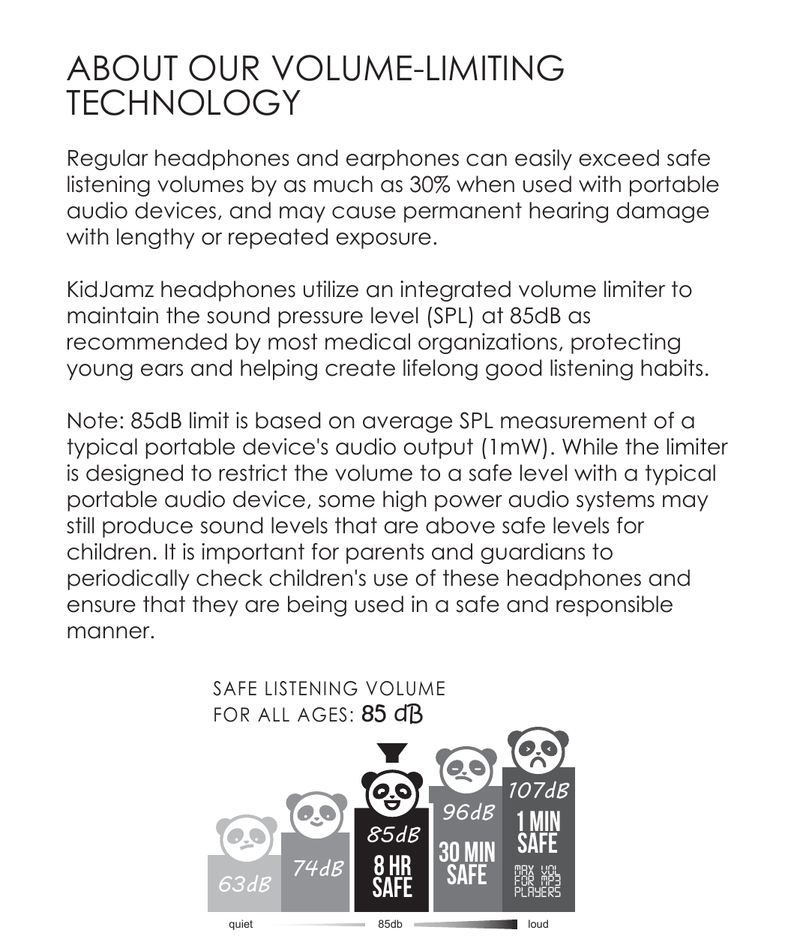
Regular headphones and earphones can easily exceed safe listening volumes by as much as 30% when used with portable audio devices, and may cause permanent hearing damage with lengthy or repeated exposure.
KidJamz headphones utilize an integrated volume limiter to maintain the sound pressure level (SPL) at 85dB as recommended by most medical organizations, protecting young ears and helping create lifelong good listening habits.
Note: 85dB limit is based on average SPL measurement of a typical portable device's audio output (1mW). While the limiter is designed to restrict the volume to a safe level with a typical portable audio device, some high power audio systems may still produce sound levels that are above safe levels for children. It is important for parents and guardians to periodically check children's use of these headphones and ensure that they are being used in a safe and responsible manner.
2. Volume Limiter On/Off Switch
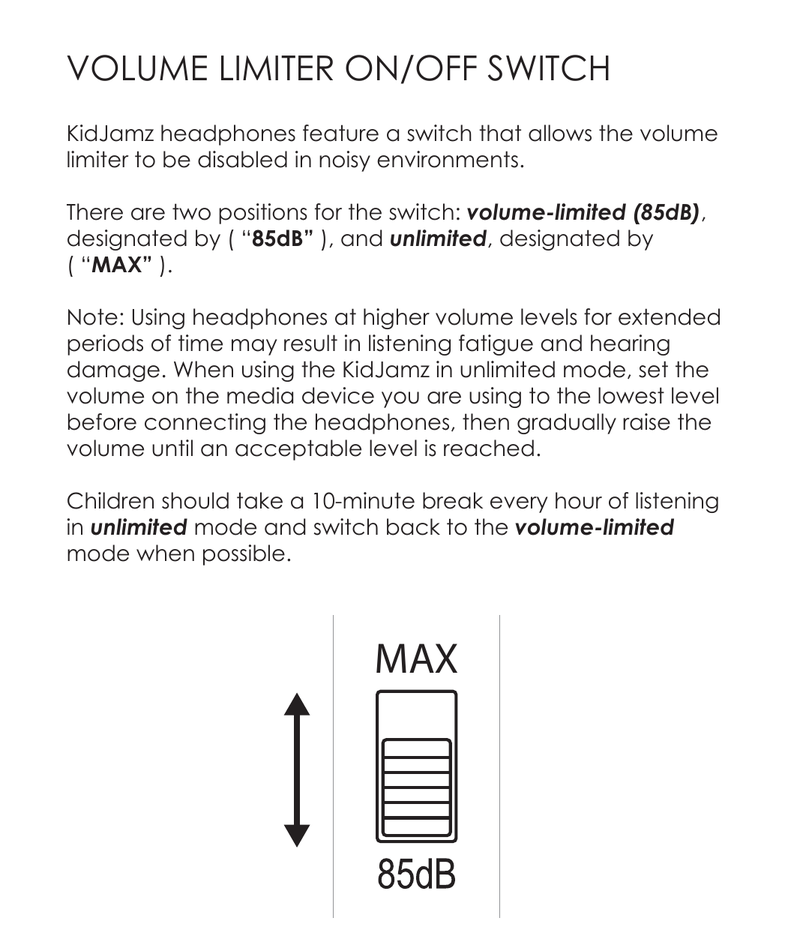
KidJamz headphones feature a switch that allows the volume limiter to be disabled in noisy environments.
There are two positions for the switch: volume-limited (85dB), designated by "85dB", and unlimited, designated by "MAX".
Note: Using headphones at higher volume levels for extended periods of time may result in listening fatigue and hearing damage. When using the KidJamz in unlimited mode, set the volume on the media device you are using to the lowest level before connecting the headphones, then gradually raise the volume until an acceptable level is reached. Children should take a 10-minute break every hour of listening in unlimited mode and switch back to the volume-limited mode when possible.
3. Light Modes
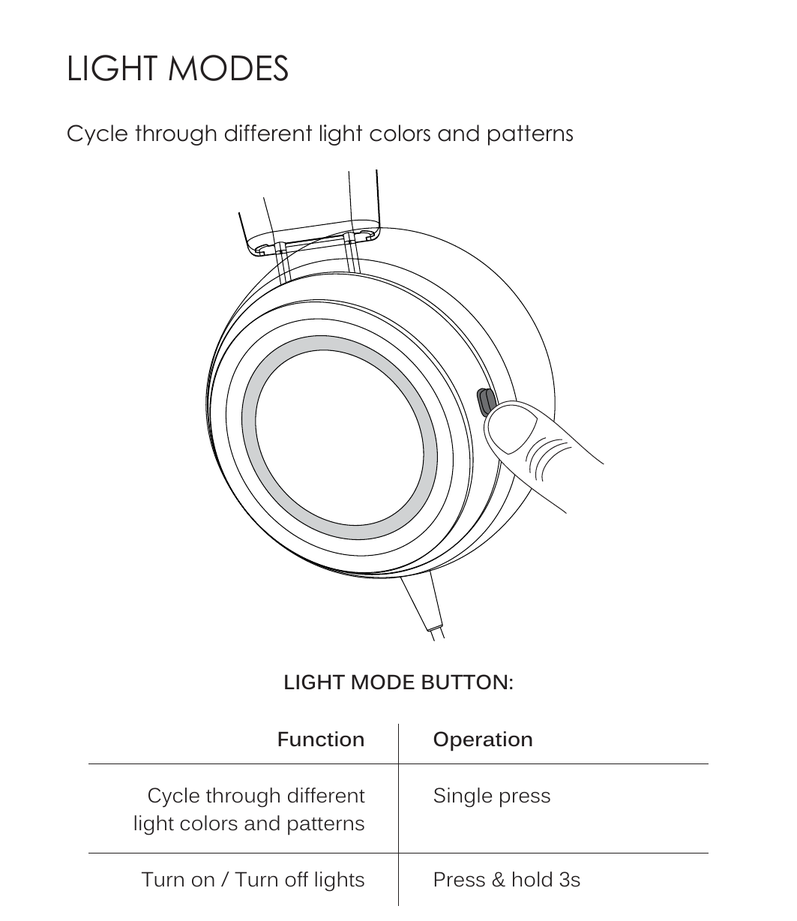
Cycle through different light colors and patterns using the light mode button.
| Function | Operation |
|---|---|
| Cycle through different light colors and patterns | Single press |
| Turn on / Turn off lights | Press & hold 3 seconds |
4. Microphone and Remote
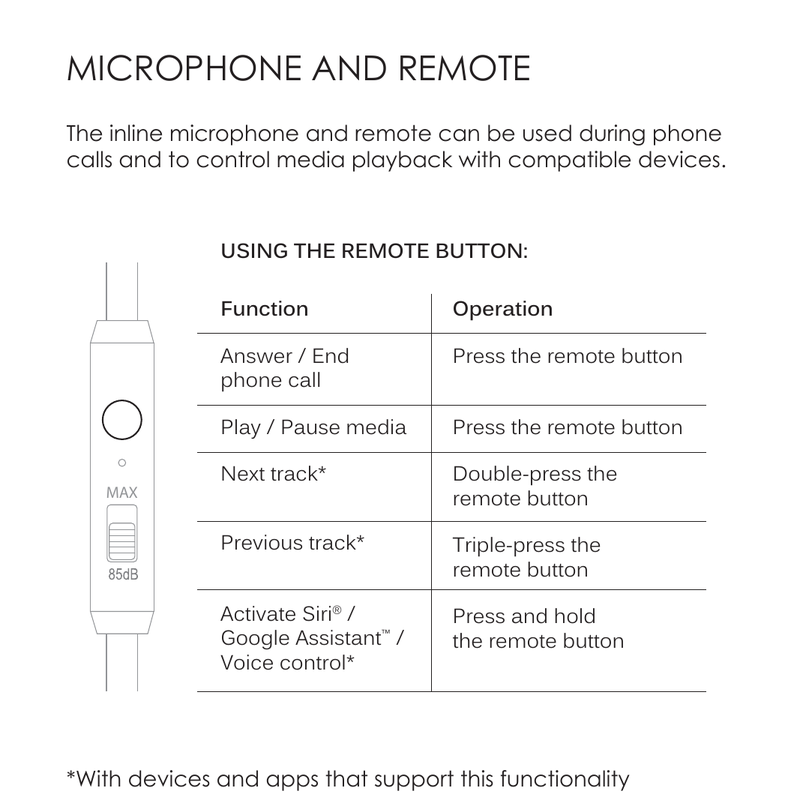
The inline microphone and remote can be used during phone calls and to control media playback with compatible devices.
| Function | Operation |
|---|---|
| Answer / End phone call | Press the remote button |
| Play / Pause media | Press the remote button |
| Next track* | Double-press the remote button |
| Previous track* | Triple-press the remote button |
| Activate Siri® / Google Assistant™ / Voice control* | Press and hold the remote button |
* With devices and apps that support this functionality.
5. Care Instructions
- Clean with a soft cloth, damp with diluted soap water solution if necessary. Do not use chemical cleaners.
- If the device comes in contact with liquids, quickly wipe away. If submersed in water, do not turn the device on until completely dried. Note: liquid submersion voids the warranty.
6. Warranty & Compliance
Warranty
MEE audio products purchased from authorized resellers are covered by a 1-year manufacturer warranty.
For more information, contact your local MEE audio dealer or visit MEEaudio.com/support.
EU / UK Declaration of Conformity
S2E, Inc. dba MEE audio hereby declares that this wireless device is in compliance with Directive 2014/53/EU and Radio Equipment Regulations 2017. The full text of the EU declaration of conformity is available at meeaudio.com/compliance.
↑ Back to top7. Support
Questions? We're Here to Help!
Phone Support: 626-965-1008
Monday – Friday, 9:00 am to 5:00 pm PST
Email Support: support@meeaudio.com
All emails are responded to within 2 business days.